Create and organise a campaign
Create the campaign
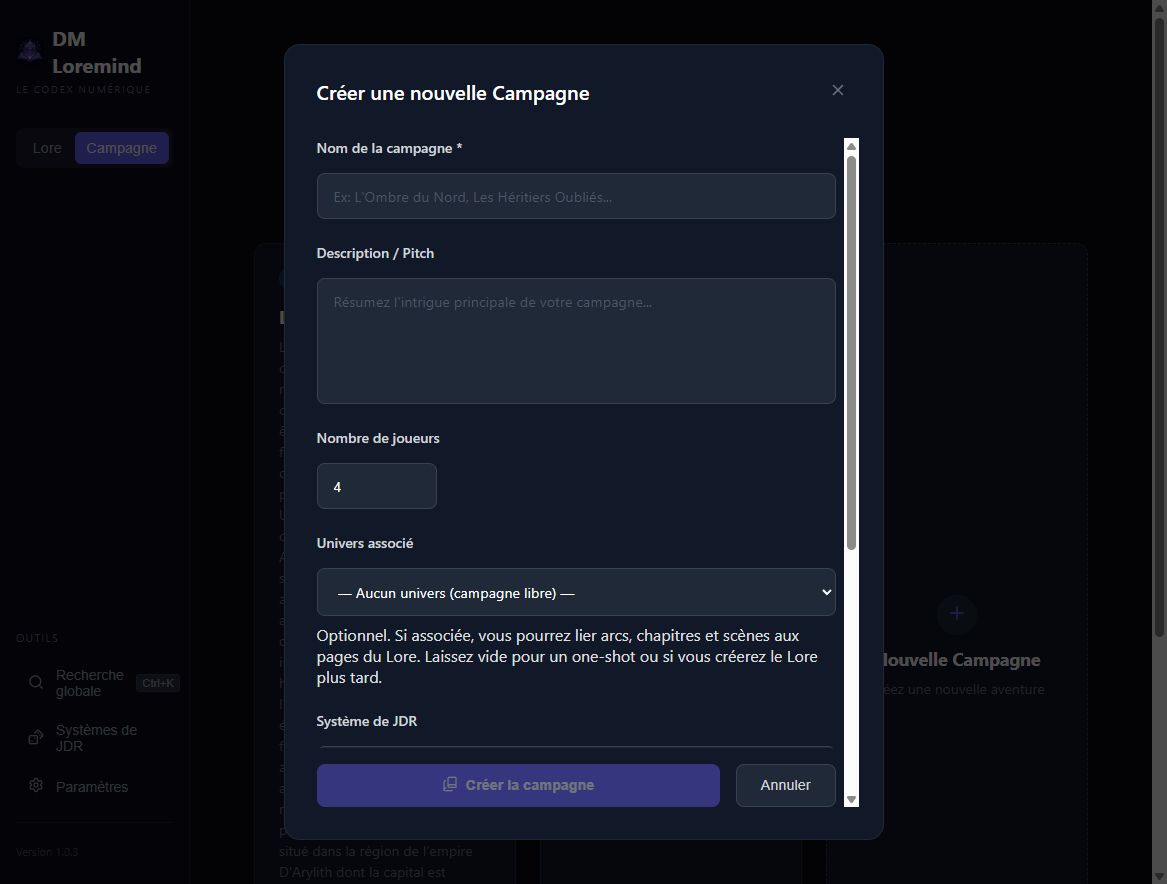
From Campaign, click New Campaign. The form contains:
- Name: required;
- Description / Pitch: the adventure's premise and tone;
- Player count: the intended group size;
- Associated setting: optional, to select related Lore pages;
- Game system: optional, for AI rules context and character sheet templates.
The system selector can also create a new system by name. Complete its rules and sheet templates afterwards from Game Systems.
Start in simple mode
You do not have to build a complete tree before writing. A simple campaign exposes a Scenes branch with direct access to playable units. The Scene button on the home page adds one; the application manages the necessary containers.
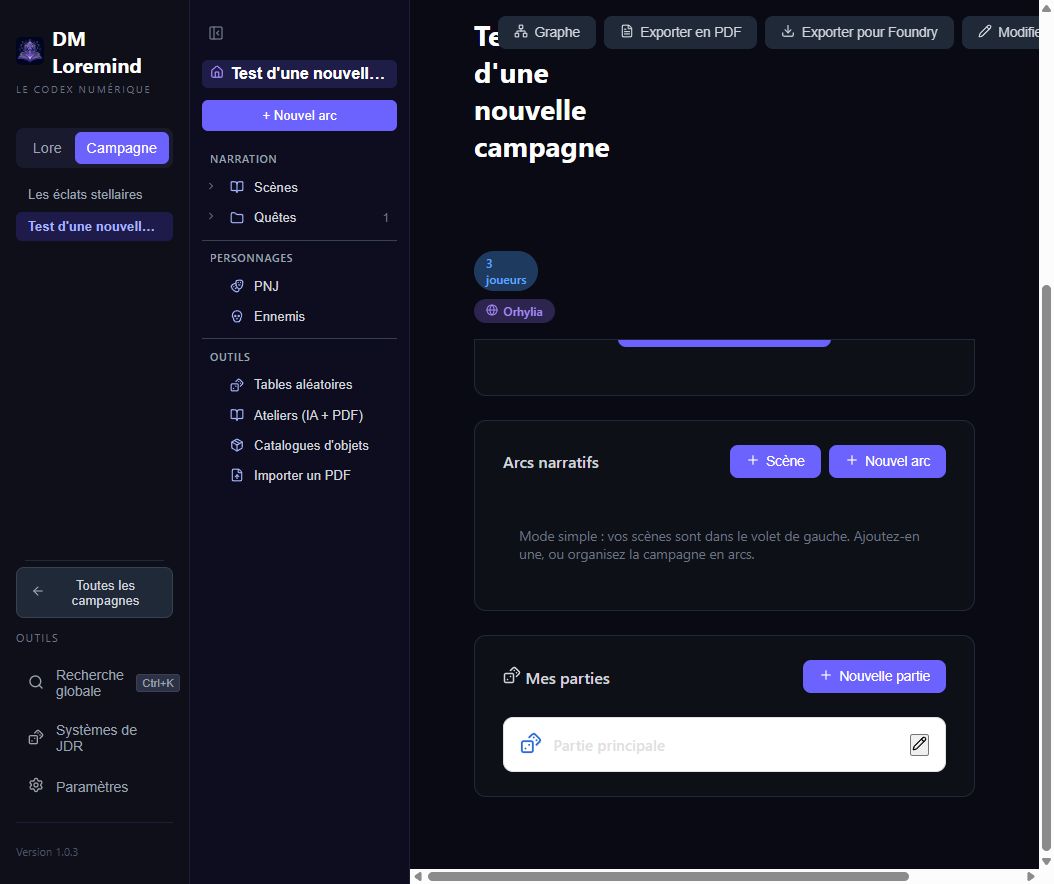
This suits a one-shot or short adventure. The simplified display depends on the campaign structure; it is not a global preference you need to enable.
Add more structure
Use New arc to organise a longer campaign:
| Structure | Organisation | Use |
|---|---|---|
| Linear | Arc → Chapters → Scenes | Progress through major story stages |
| Hub | Arc → Quests → Scenes | Missions accessible from a central situation |
| Free quests | Cross-cutting quests or quests with their own scenes | Objectives independent of an arc |
Quests carry unlock conditions, with progress tracked per group in a playthrough. Chapters do not carry these conditions.
Use the parent's + to create in the right place. Drag compatible items in the tree to reorganise them. Check branches after moving scenes: a scene's target must belong to the same chapter.
Change associations
Use Edit on the campaign home to update its information. Associating a setting makes its pages available in Related Lore pages selectors; it does not copy those pages into each sheet.
Sheets display fields from the selected system. Switching systems can hide existing values. The values remain stored; switching back restores their display. Choose your system early and back up before changing templates.
Scenario and playthroughs
My playthroughs lets different groups play the same scenario. PCs, journals, facts, clocks and quest progress belong to each playthrough. NPCs, scenes and campaign resources belong to the shared scenario.
For sharing or archiving, choose a data ZIP, PDF or Foundry export.