Explorable locations and dungeon rooms
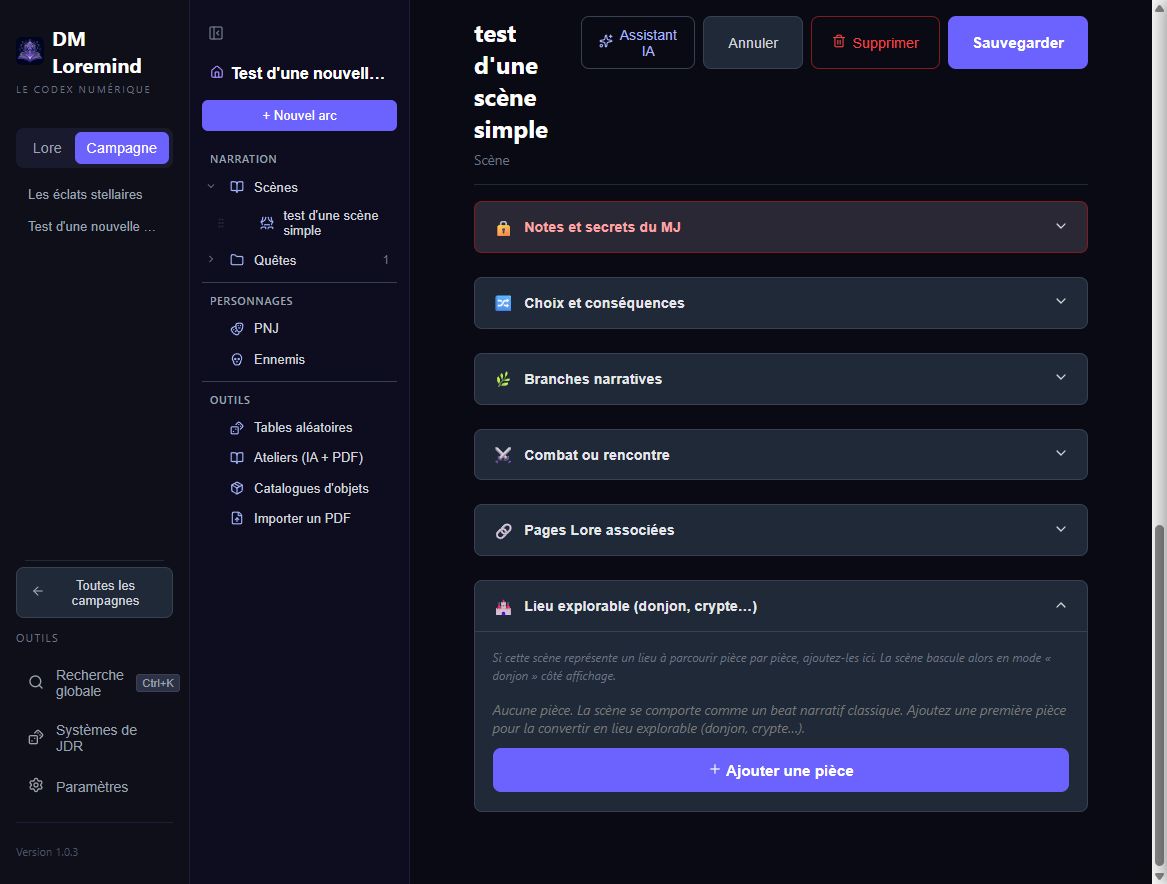
A scene can represent a whole location: a manor, cave, ruin or ship. Add rooms in its editor to describe exploration space by space. As soon as a scene contains a room, its view uses the dungeon layout. Without rooms, it remains a normal scene.
Build the location
- Create or edit a scene.
- Expand the explorable location section.
- Click Add room, enter its name and optionally its floor.
- Expand the room to fill in its details.
- Save the scene to keep your changes.
| Field | Suggested content |
|---|---|
| Description | What characters perceive on entering and can examine |
| Bestiary enemies | Reusable creature sheets present in the room |
| Enemies | Numbers, positions and encounter specifics |
| Loot | What can be found, and under which conditions |
| Traps | Detection, triggers and effects |
| GM notes | Secrets and location reactions |
Use ↑ / ↓ to reorder rooms. Floors are numeric: for example 0 for ground
level, 1 upstairs and -1 for a basement.
Connect rooms
Create at least two rooms before adding an exit. Each exit has a label, a target room in the same location and an optional condition. For example, “Trapdoor under the rug” → “Cellar”, condition “notice the trapdoor”.
Exits are directional: add a return connection on the other room when useful. Conditions guide the GM; they do not roll dice or move characters automatically.
Room exits and scene branches are separate. To leave the manor for another scene, add a branch at the scene level.
Check before playing
After deleting a room, check exits targeting it. Broken doors appear in Next steps. Also check bestiary enemy references.
PDF campaign import can suggest rooms: review their names, connections and secrets before confirming.
Maps and exports
Rooms describe the location; battlemaps are attached to the scene for Foundry export. The room editor does not draw a map or automatically align rooms with map coordinates.
The PDF booklet includes rooms with enemies, loot, traps, notes and exits. Review it before sharing with players.
Prepare five narrative highlights instead
Beta's Five-room dungeon method builds one chapter and five scenes from your answers. To create rooms within one location, use the editor described in this guide.