Clocks and threats
Clocks track growing pressure: reinforcements, a watch investigation, a ritual or ship repairs. They belong to a playthrough, so each group's progress is independent.
Create a clock
Open a playthrough from Campaign → My playthroughs, then Progress clocks. The same controls are available in the Playthrough tab of session mode.
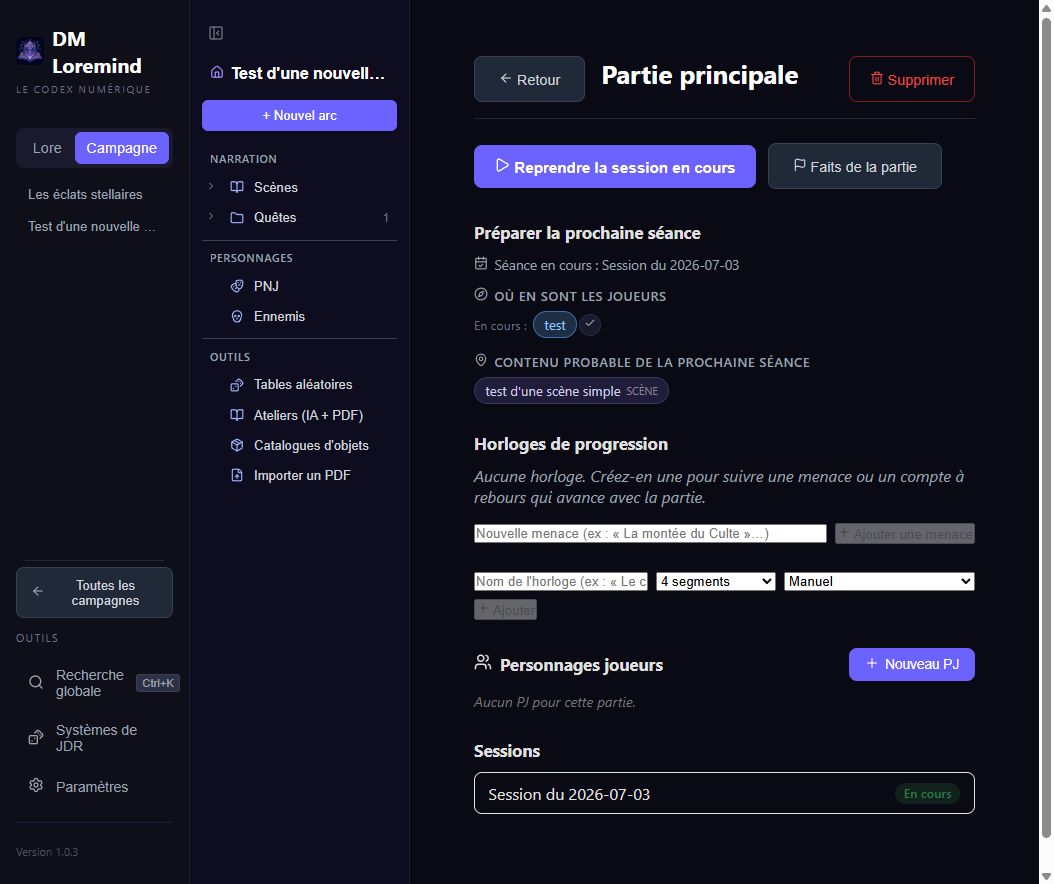
Enter a name, choose 2, 4, 6, 8, 10 or 12 segments, select a trigger and click Add. Use the pencil to edit a clock and + / − to adjust its progress within its segment limits.
Choose a trigger
| Trigger | Effect |
|---|---|
| Manual | Only your adjustments change progress |
| When a fact becomes true | Adds one segment when the selected fact is activated |
| When a quest is completed | Adds one segment when the selected quest becomes completed |
| At session end | Adds one segment when a session in this playthrough ends |
For a fact, enter its name; for a quest, select it from the list. Facts appear automatically when a condition or trigger references them.
Automatic clocks remain manually adjustable. Triggers react to events, not elapsed real time: “at session end” does not mean “every evening”.
Group clocks into a threat
Enter a threat name and click Add threat. Select it when creating or editing a clock. For example, “The cult organises” might group “Recruitment” and “Ritual preparation”.
A threat groups clocks; each clock keeps its own trigger and counter. Deleting a threat preserves its clocks, moving them into Free clocks.
Apply consequences in play
Next-session preparation flags clocks as almost full at 75% and full at 100%. A full clock does not write a scene or complete a quest. Apply its consequence yourself and record what happens in the journal.
Clock for a villain's plan (beta 1.4.0)
The villain's plan method can add a manual six-segment clock to each existing playthrough. Advance it when the enemy makes progress; it does not trigger scenes or advance automatically at session end. A playthrough created later needs its clock added manually.