Guided method: Five-room dungeon
This method belongs to the writing mentor on beta, after stable 1.0.3. You write the answers yourself; no AI provider is required.
The method guides a short adventure through five highlights. The “dungeon” can be a crypt, ship, forest or masked ball.
Start
On the campaign home, click Guided method, or Write an adventure step by step on an empty campaign. From 1.4.0-beta, select Five-room dungeon, then Start in the method chooser. Earlier beta builds open this workflow directly.
The other guided methods prepare a Node-based investigation or The villain's plan.
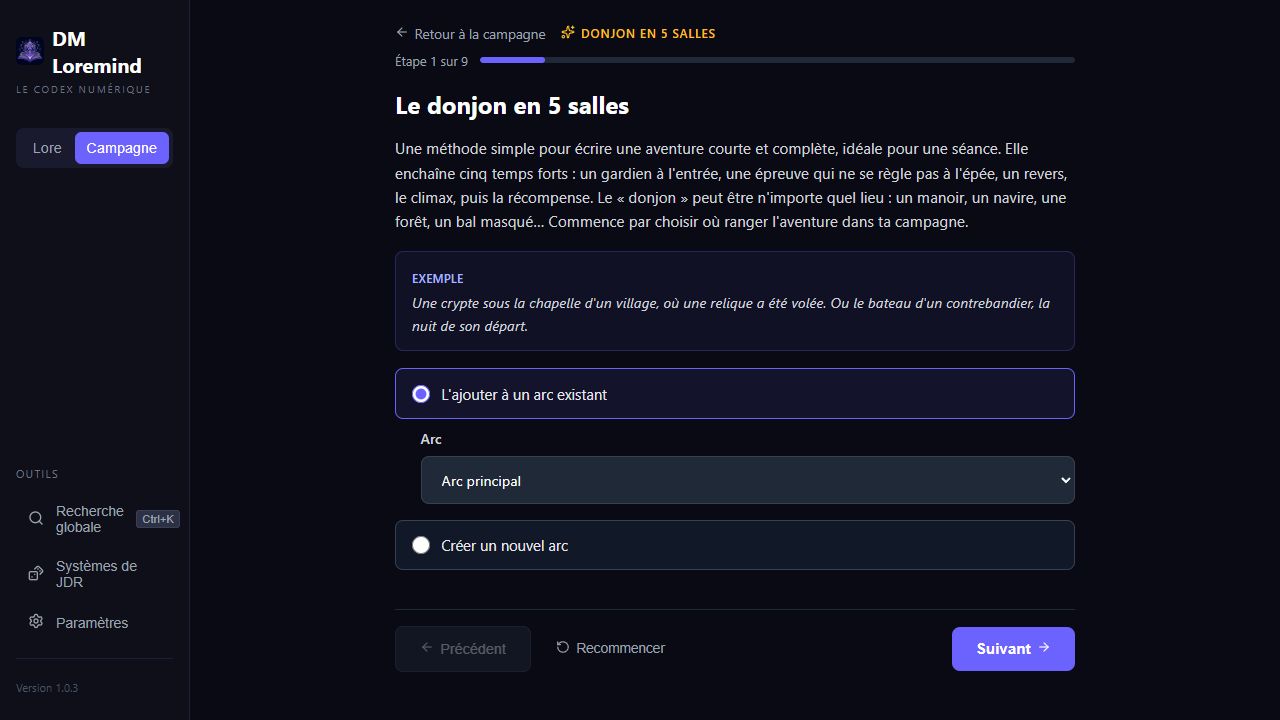
Each screen explains its purpose and offers an example. Some lightbulbs open mentor tips. Use Previous and Next to revise your answers.
The nine steps
| Step | What you prepare |
|---|---|
| Placement | An existing linear arc or the name of a new one |
| Frame | Adventure name, location and hook |
| Objectives and stakes | What players seek and what happens if they fail |
| Room 1: entrance and guardian | Initial obstacle, approaches, possible enemies and secrets |
| Room 2: challenge | Puzzle, negotiation or exploration and its outcomes |
| Room 3: setback | Trap, complication or unwelcome surprise |
| Room 4: climax | Confrontation, opponent's goal and alternatives to fighting |
| Room 5: reward or revelation | Gains, consequences and an opening for the next adventure |
| Review | Summary and the option to connect scenes |
Room names have editable defaults. Optional details can be completed later. A Hub arc cannot receive this method: choose a linear arc or create one.
What is created
Create adventure adds one chapter and five scenes to the chosen arc, or first creates the requested new linear arc. The chapter receives the name, hook, objectives and stakes. Scenes receive descriptions, choices, GM notes, optional enemies and the shared location.
The first two scene types follow the chosen nature; the others are an Event, Encounter and Revelation. With Link rooms in order enabled by default, four “To the next room” branches connect the five scenes. Revise these later in the scene map.
The method's “rooms” are chapter scenes. It does not create five rooms inside one scene or draw a battlemap. For that workflow, see Explorable locations and dungeon rooms.
Content is added to the existing campaign. The chapter opens after creation so you can refine sheets, link bestiary entries and add branches. Then consult Editor review.
Resume a draft
Answers and the current step are stored in this browser, per campaign and method, when local storage is available. This is not a campaign backup and does not sync between PC and tablet.
Restart clears the draft after confirmation. Failed creation keeps answers for retrying; successful creation clears the draft. No new campaign sheets are created before the final button.