PC / NPC / Enemy sheet templates
Each Game System carries three templates: one for PCs (players), one for NPCs, and one for Enemies. The three are kept separate because each type of sheet generally needs different fields — a PC typically has a full sheet (stats, spells, equipment), an NPC a lighter sheet, and an Enemy emphasizes combat. It is up to you to define the fields of each.
Editing
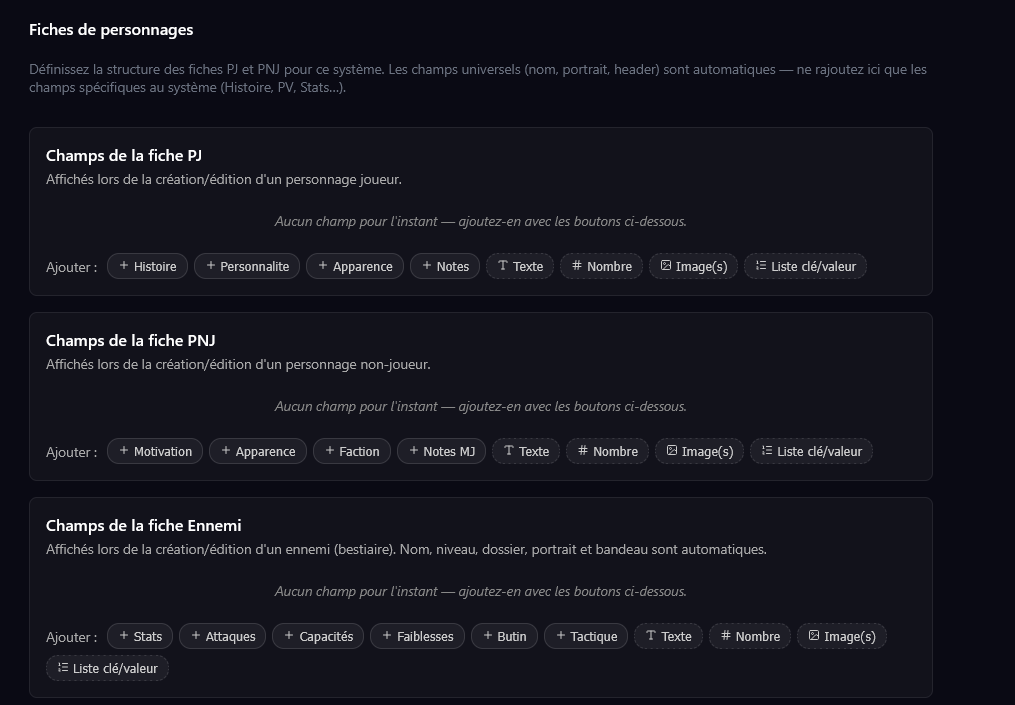
In the Game System editor, three separate blocks:
- PC sheet fields — shown when creating/editing a PC
- NPC sheet fields — shown when creating/editing an NPC
- Enemy sheet fields — shown when creating/editing an Enemy
For the Enemy block, combat fields are suggested: Stats, Attacks, Abilities, Weaknesses, Loot, Tactics.
Each field has:
- A name (unique within the template, case-insensitive)
- A type: TEXT, NUMBER, IMAGE, KEY_VALUE_LIST
- For IMAGE: a layout (GALLERY, HERO, MASONRY, CAROUSEL)
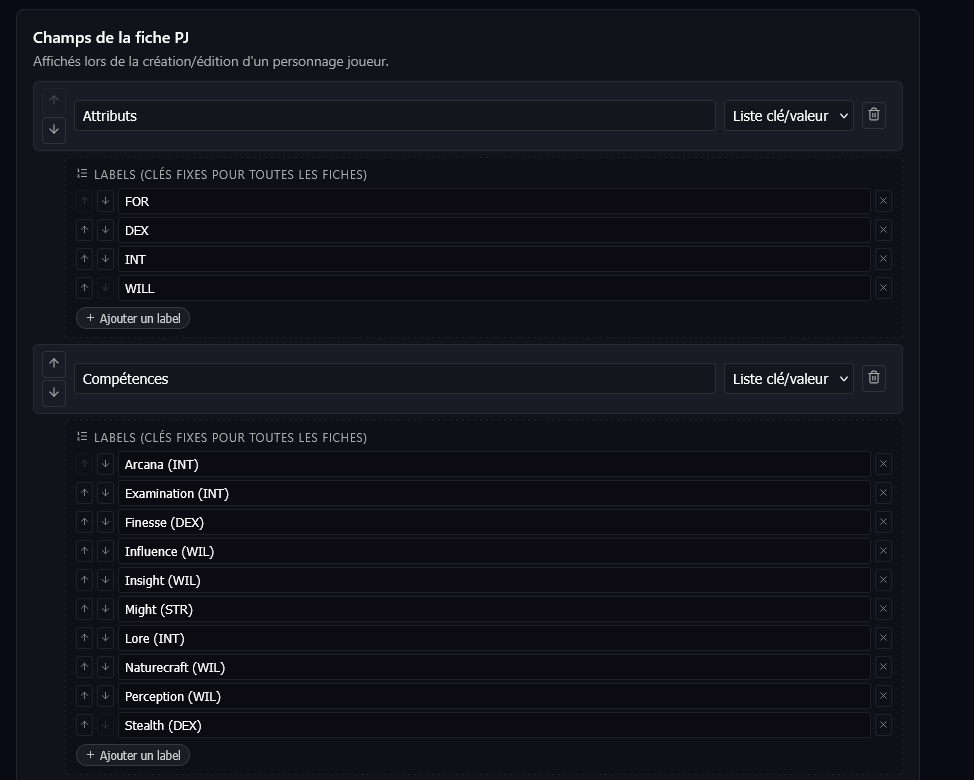
- For KEY_VALUE_LIST: a list of fixed labels
Universal fields (hard-coded)
Whatever you put in the template, three fields are always present on every PC/NPC/Enemy sheet and are not configurable:
- Name (required)
- Portrait (image, square ratio)
- Banner (image, landscape ratio)
This is intentional — these fields have a universal meaning regardless of the game system, and their position in the view is fixed.
The key/value list type in detail
Particularly useful for stat blocks. You define the list of labels at the template level:
Result on the character sheet:
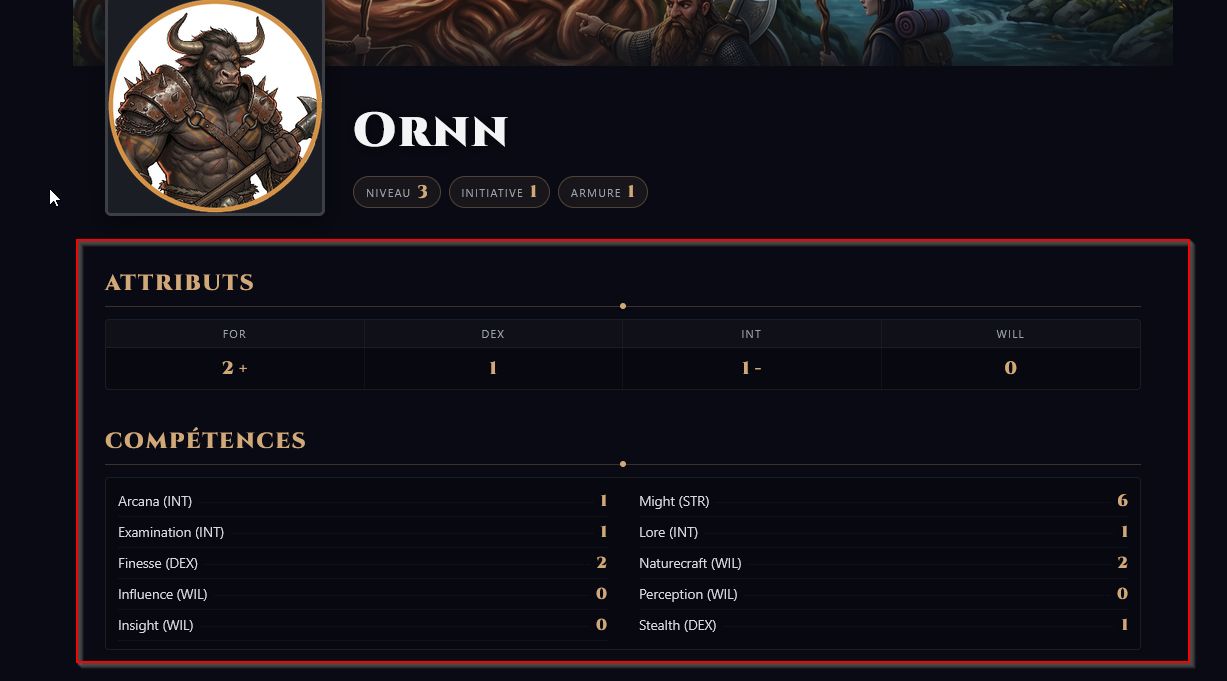
Badges under the character's name
A badge is a small rectangle with a number that appears under the character's name. They are especially handy for showing important information such as level, armor or initiative.
To make a badge, create a Number field surrounded by other text fields. If you create two Number fields, they will be turned into a key/value list. For example, on the sheet above, here is how the level, initiative and armor fields are arranged:
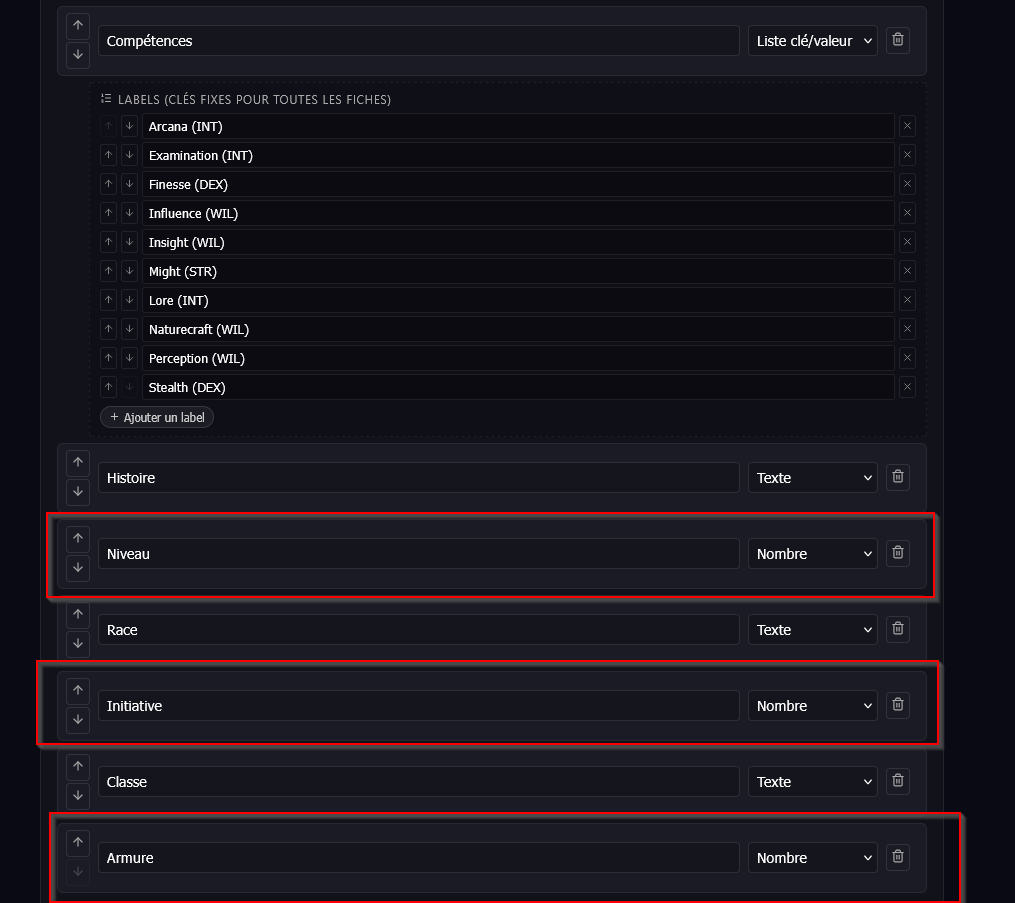
I'm aware of the limitation of this approach for badges. I built it this way at first because it was convenient, but I'll try to add a dedicated badge type so it's explicit, and keep plain numbers separate in the future. Feel free to tell me what you think.
Best practices
- Prefer 1 KEY_VALUE_LIST over 6 NUMBERs. The 6 D&D stats in a single "Attributes" field render as a neat stat block; 6 separate NUMBERs render as individual, more cluttered cards.
- Reserve NUMBER for standalone values (Level, max HP). They display as discreet badges in the sheet's hero.
- Pre-shipped systems: three systems are provided to start with — Nimble (excerpt), D&D 5e SRD (excerpt) and Homebrew Example. Start from there to get a feel for the spirit, then adapt. Note that no enemy template is pre-filled: the Enemy block exists but stays empty until you configure it.
Renaming or deleting a field
Changing the template never destroys values already entered in the database. However, each value is tied to the field's name — which has an important consequence to be aware of.
If you rename a field (e.g. "History" → "Tale") or delete it, the content already entered under the old name disappears from existing sheets: the renamed field shows up empty, and re-editing the sheet does not bring back the old text (you would have to retype it).
The data is not lost, though: it remains stored under the old name. Concretely, giving the field its exact original name back makes the content reappear as is — the simplest way to recover a value after a regretted rename.
In practice: settle your field names before filling in a lot of sheets. An assisted migration tool (rename propagated to existing sheets) is planned for the future.