Creating a page
A page is a sheet typed by a template: it is what carries the actual content of your universe (a city, a historical NPC, a faction…).
Prerequisites
Before creating a page, you need:
- At least one template in the Lore — otherwise there is no sheet structure to apply. See Templates and field types.
- At least one folder — every page must be stored somewhere. See Creating a folder.
If either is missing, the form will offer you a shortcut to create it before returning.
Starting the creation
From a folder's view, click New page. You arrive on the Create a new Page screen.
The form
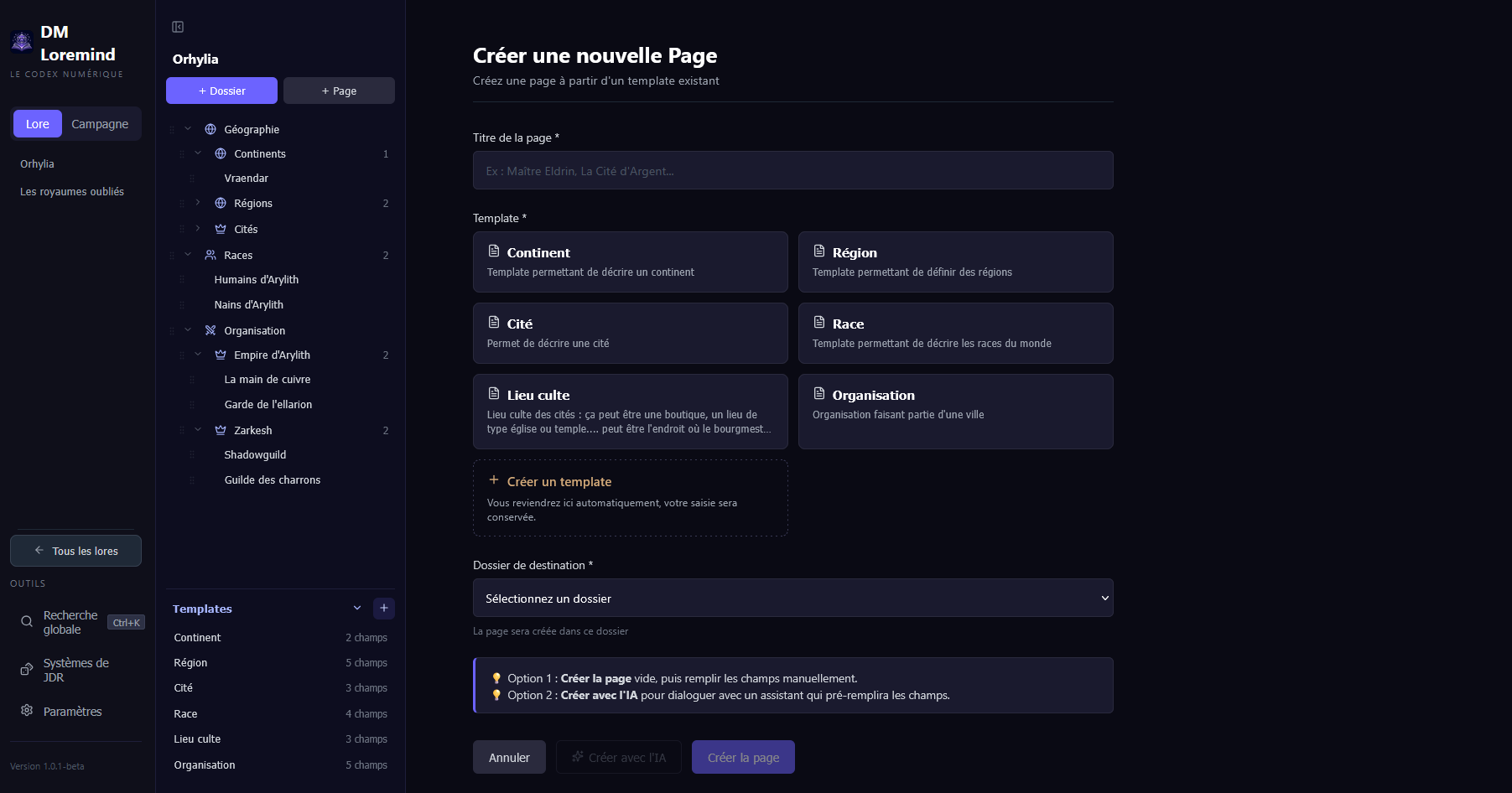
- Page title (required) — the name of the entity:
Master Eldrin,The Silver City… This is what will be displayed in the sidebar and in the links between pages. - Template (required) — the structure of the sheet. Each template is presented as a card with its name and description; click to select it. The choice of template determines the fields of the page (text, image, etc.).
- Destination folder (required) — where to store the page in the tree. Pre-selected if you arrive from a folder.
Two creation modes
Once the title, template, and folder are filled in, two buttons are available:
Create the page (manual)
Creates an empty page with the template's fields ready to be filled in. You arrive directly in editing mode.
Preferable when you already have the entity in mind and want to write the content yourself.
Create with AI (assistant)
Opens a chat drawer with an AI assistant in wizard mode. You describe the
entity in natural language (a dwarven city carved into a mountain, ruled by a council of elders), the AI may ask questions, then pre-fills the template's
fields from the conversation:
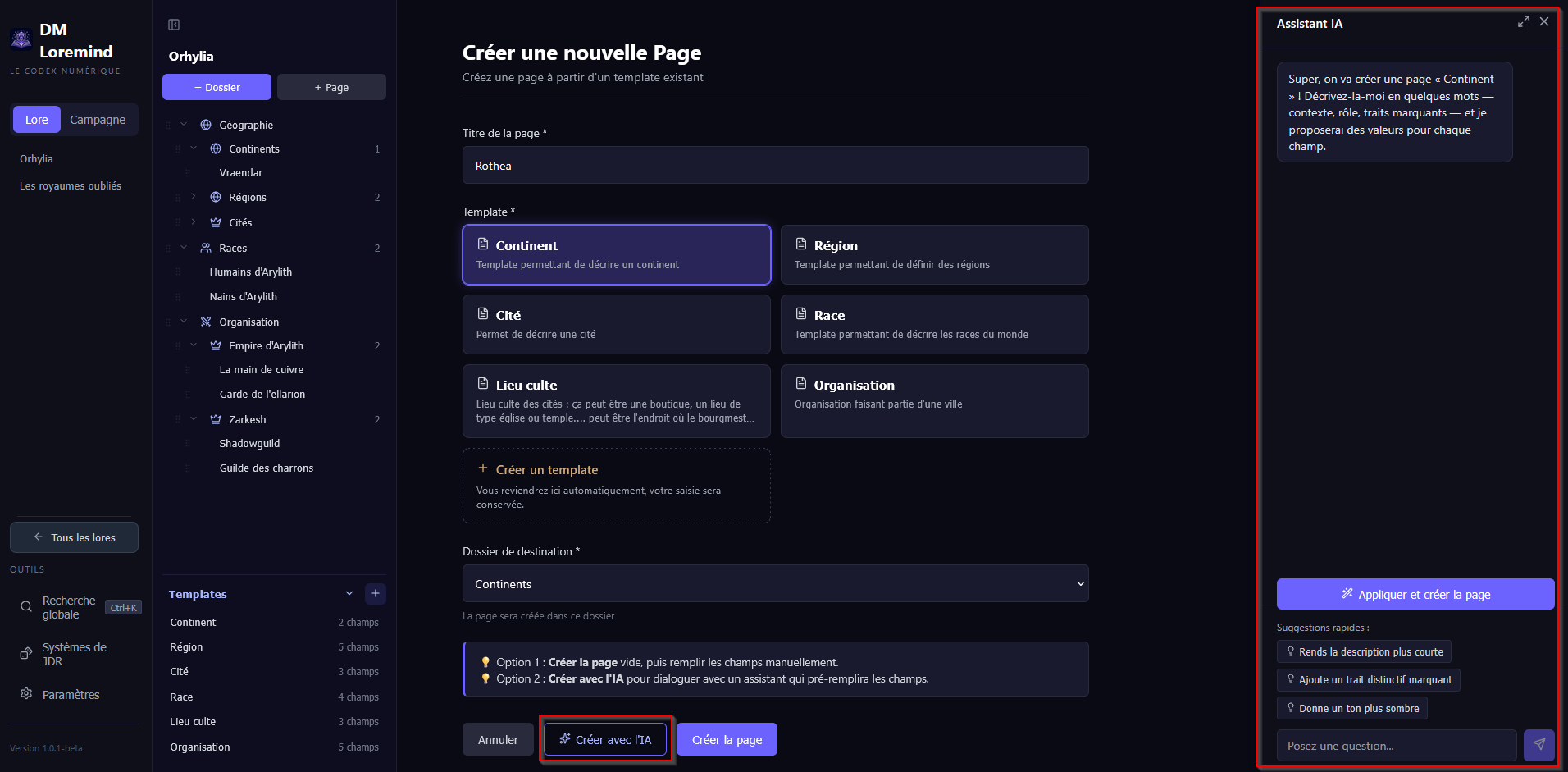
Preferable for:
- Getting started quickly when you only have a vague idea.
- Obtaining a coherent draft that you will then edit.
- Maintaining consistency with the rest of the Lore (the AI relies on the universe's context).
You can absolutely create the empty page first and then use field-by-field AI generation afterward — this is useful when you want to control each section independently rather than generating everything at once.
What's next?
Once the page is created, you can:
- Fill in / edit the fields — each block is edited independently; the rendered page follows the grid layout defined on the template.
- Reframe the images — in an Image block, drag the image to choose the framing and zoom with the mouse wheel; the setting is remembered per image and per page.
- Link other pages via the link selector (links are stored by identifier, so they are resilient to renames).
- Move the page to another folder if you reorganize your Lore.